Hotel Wi‑Fi is usually safe enough for websites that use HTTPS, which is nearly all of them. The real risks are fake networks that copy the hotel’s name, other guests on the same network, and the login page itself. Confirm the network name with reception, sign in to the login page, then switch on a VPN before you open email or banking.

What hotel Wi‑Fi can and can’t see
A hotel network usually connects every room, the lobby, the meeting rooms and often the building’s own systems. Everyone on it shares the same connection to the internet, and the hotel — or whoever runs the network for it — can see the traffic passing through.
The good news is that almost all of the web is now encrypted. Google reports that 95–99% of page loads in Chrome use HTTPS, and from Chrome 154 (October 2026) Chrome warns you before opening a public site that doesn’t. When a page uses HTTPS, the network can’t read what you type or what the page shows.
Encryption on its own still leaves some things visible to the network:
- Which sites and services you connect to. Domain names usually travel in DNS lookups and connection headers that the network can read.
- When and how much. The timing and volume of your traffic.
- Apps that cut corners. Some older apps and smart devices still send data without proper encryption.
- Anything you type into a fake page. Encryption protects the connection, not a password you give to the wrong site.
The three real risks on hotel networks
- Look-alike networks. Anyone nearby can create a hotspot called “Hotel_Guest” or “Hotel Free WiFi”. If your phone joins it, that person controls the network you’re using and can show you fake login pages.
- Other guests on the same network. Many hotel networks don’t isolate one device from another. A laptop with file sharing turned on, or with out-of-date software, can be visible to other guests.
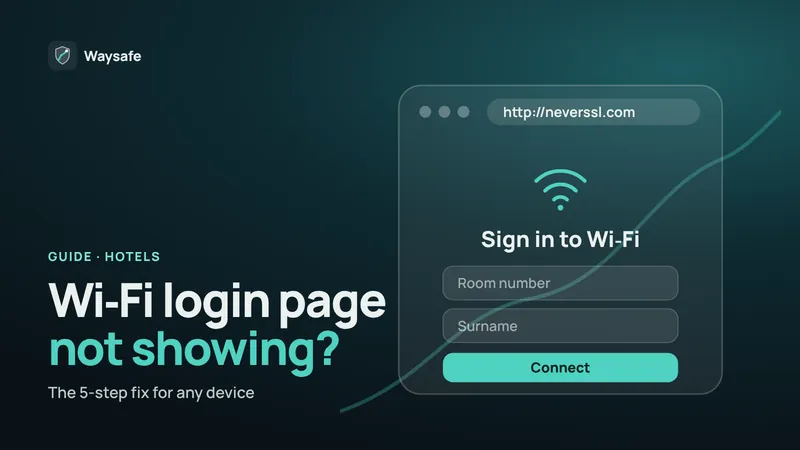
- The login page. Hotel sign-in pages (captive portals) often run without HTTPS. Never enter more than the hotel needs — usually a room number and surname — and never install anything a login page asks for.
Related guide: Airport Wi‑Fi security: how to spot a fake hotspot
Seven habits for safe hotel Wi‑Fi
- Ask reception for the exact network name. Hotels often run several networks, and a look-alike name is easy to miss.
- Prefer a network with a password. It doesn’t hide you from other guests, but it keeps casual snooping from outside the building out.
- Sign in to the login page first, then connect your VPN. A VPN can block the login page from appearing; connect straight after you’re online.
- Turn off sharing. Set AirDrop to Contacts Only, switch off file and printer sharing, and on Windows mark the network as Public.
- Forget the network when you check out. Otherwise your phone may rejoin a copy of it at another hotel.
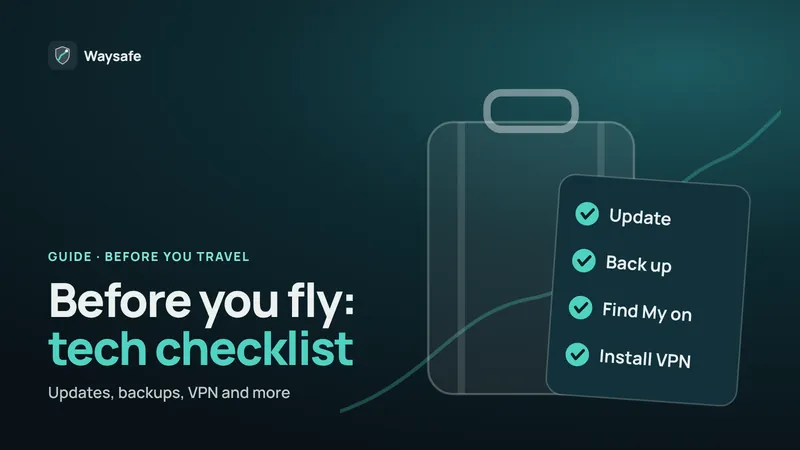
- Update before you travel. Install system and app updates at home, not on hotel Wi‑Fi.
- Protect your important accounts. Use passkeys or two-step verification on email and banking, so a stolen password alone isn’t enough.
Waysafe encrypts your connection with one tap and doesn’t keep activity logs. Free trial in the app.


Does a VPN make hotel Wi‑Fi safe?
A VPN encrypts everything between your device and the VPN server. On hotel Wi‑Fi that means the network — and anyone watching it — sees only that you are connected to a VPN. It no longer sees which sites you visit, your DNS lookups, or traffic from apps that skip encryption.
A VPN won’t stop a phishing email, remove malware, or prevent a site from recognising you when you sign in. And it can’t protect a password you typed into a fake login page before it was connected. Treat it as one strong layer alongside the habits above.
Tip: if the hotel’s login page won’t load, disconnect your VPN, sign in on that page, then connect again.
Hotel Wi‑Fi or your phone’s hotspot?
Mobile data is generally harder to snoop on than a shared Wi‑Fi network, because your connection runs directly to your mobile carrier. If you have a good roaming plan or a travel eSIM, using your phone’s hotspot for banking or work is a sensible choice. When data is expensive, hotel Wi‑Fi with a VPN is a reasonable alternative.
What to do if you joined a fake network
- Disconnect and forget the network. Then join the correct one, or switch to mobile data.
- Change passwords you used while connected. Start with your email account, because it can reset everything else.
- Check recent sign-in activity. Most email, bank and social accounts list recent devices and locations.
- Turn on two-step verification for any account that doesn’t have it.
- Tell the front desk. They can warn other guests and check the area.
Frequently asked questions
Is it safe to do online banking on hotel Wi‑Fi?
Banking apps and websites use strong encryption, so the risk is low on the hotel’s real network. For extra protection, connect a VPN or use mobile data, never sign in through a hotel login page, and stop if your browser shows a certificate warning.
Can the hotel see which websites I visit?
Without a VPN, the network can usually see the domain names you connect to, but not the pages or what you type on HTTPS sites. With a VPN on, it sees only a connection to the VPN server.
Is hotel Wi‑Fi with a password safer?
A little. The password keeps people outside the hotel off the network, but every guest uses the same password, so other guests can still be on it with you.
Should I turn on my laptop’s firewall in a hotel?
Yes. Keep the firewall on and choose the Public network profile on Windows, which hides your laptop from other devices on the network.